1st time => portsnap fetch extract
2nd and later => portsnap fetch update
helloworld 發表在 痞客邦 留言(0) 人氣(46)
如果我要計算目錄下面 某個副檔名或是某關鍵字檔名的大小加總的話
可以使用awk 來實現
例如
ls -l /var/log/maillog* | awk '{ SUM += $5 } END { print SUM/1024/1024 }'
計算出來的單位是MB
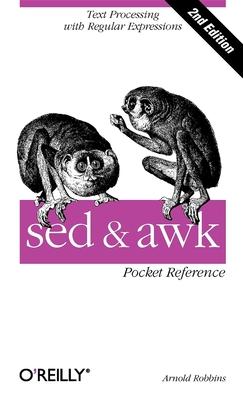
Sed and Awk: Pocket Reference作者: Robbins, Arnold
原文出版社:Oreilly & Associates Inc
出版日期:2002/06/01
語言:英文
定價:348元
helloworld 發表在 痞客邦 留言(0) 人氣(1,390)
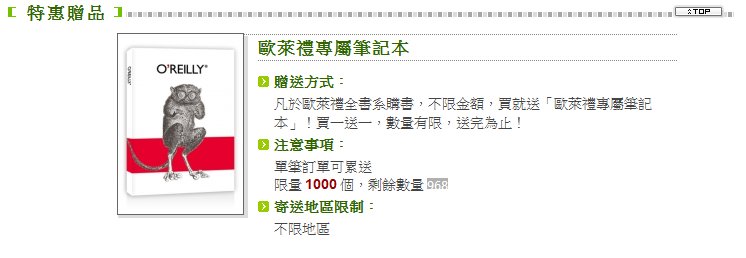
現在買歐萊禮全書系購書,不限金額,買就送「歐萊禮專屬筆記本」!買一送一,數量有限,送完為止!
http://www.books.com.tw/exep/assp.php/es/exep/prod/books/editorial/publisher_chart.php?pubid=oreilly
helloworld 發表在 痞客邦 留言(0) 人氣(159)
如果不想刪除帳號或是要讓ldap 某個account暫時停用的話
似乎沒有直接的屬性可以使用,想到最單純的方法可能是用ACL來實現了
首先編輯slapd.conf 多加一行include /usr/local/etc/openldap/acl_disabled.conf
vi /usr/local/etc/openldap/slapd.conf
include /usr/local/etc/openldap/acl_disabled.conf
access to *
by * read
access to attrs=userPassword
by self write
by * auth
未來如果有要暫時disable一個帳號的話只需要維護acl_disabled.conf
vi /usr/local/etc/openldap/acl_disabled.conf
access to dn="uid=peter,ou=sales,dc=helloworld,dc=com,dc=xx"
by * none
access to dn="uid=mary,ou=tech,dc=helloworld,dc=com,dc=xx"
by * none
比較麻煩的是..每次編輯完記得重新啟動ldap server才會生效,反正帳號不會常異動啦XDDD
另外就是不適用有replication的環境啊orz
helloworld 發表在 痞客邦 留言(0) 人氣(356)
helloworld 發表在 痞客邦 留言(0) 人氣(6)
cd /etc/openldap/ssl
openssl genrsa -out ldap.test.com.key 1024
openssl req -new -key ldap.test.com.key -out ldap.test.com.csr
openssl x509 -req -days 7200 -in ldap.test.com.csr -signkey ldap.test.com.key -out ldap.test.com.crt
vi /etc/openldap/slapd.conf
TLSCipherSuite HIGH::MEDIUM:LOW
TLSCertificateFile /etc/openldap/ssl/ldap.test.com.crt
TLSCertificateKeyFile /etc/openldap/ssl/ldap.test.com.key
/etc/init.d/ldap restart
cat /etc/services | grep ldap
ldap 389/tcp
ldap 389/udp
ldaps 636/tcp # LDAP over SSL
ldaps 636/udp # LDAP over SSL
檢查一下有沒有LISTEN兩個port
netstat -na | grep LISTEN
tcp 0 0 0.0.0.0:389 0.0.0.0:* LISTEN
tcp 0 0 0.0.0.0:636 0.0.0.0:* LISTEN
helloworld 發表在 痞客邦 留言(0) 人氣(396)

facebook臉書效應:從0到7億的串連
有看過電影社群網站的應該會有興趣想要買一本來看看:p
helloworld 發表在 痞客邦 留言(0) 人氣(47)
升級前
telnet 0 22
Trying 0.0.0.0...
Connected to 0.
Escape character is '^]'.
SSH-2.0-OpenSSH_5.4p1 FreeBSD-20100308
步驟:抓source回來解開
./configure && make && make install
helloworld 發表在 痞客邦 留言(0) 人氣(133)
網路線插上25/26 port沒有反應,
原來是光纖模組和RJ-45的孔是共用的,同時只能有一個連線
所以預設是光纖模組可以運作,RJ-45的孔是shutdown
修改設定如下
helloworld 發表在 痞客邦 留言(1) 人氣(376)
以往同步檔案的時候通常client無法得知source有哪些檔案備異動過
所以透過rsync跟source端要資料時,需要將一整個目錄重新比對過,然後將有異動的部分複製到目的端
透過lsyncd+rsync則是在source端有異動資料的時候,主動透過rsync將異動的部分丟到目的端
測試平台 CentOS 5.5
來源端 10.0.0.1
安裝rsync+lsyncd
yum -y install lsyncd
啟動lsyncd
lsyncd /home/mirror/ 10.0.0.2::mirror/
/home/mirror 為要監控的來源目錄,10.0.0.2::mirror 則是遠端要更新的路徑
目的端 10.0.0.2
編輯 /etc/rsyncd.conf
[mirror]
path = /home/mirror
hosts allow = 10.0.0.1
read only = no
commect = mirror from 10.0.0.1
安裝xinetd並讓rsync可以透過xinetd可以被呼叫
yum -y install xinetd
vi /etc/inetd.d/rsync
disable = yes 改成 disable = no
service xinetd restart
這樣就可以運作了,試著將source的目錄做一些異動看看唄
可以觀察到SRC端的process,會針對有異動的目錄進行同步到DEST端,不會把一個目錄全部比對一次
/usr/bin/rsync --delete -ltd /home/mirror//test1/ 10.0.0.2::mirror//test1/
以及DEST端的process
rsync --daemon
helloworld 發表在 痞客邦 留言(0) 人氣(1,337)
